Tlab.pro 5.10.1 — penalties, retirements and a German interface
8/27/2026
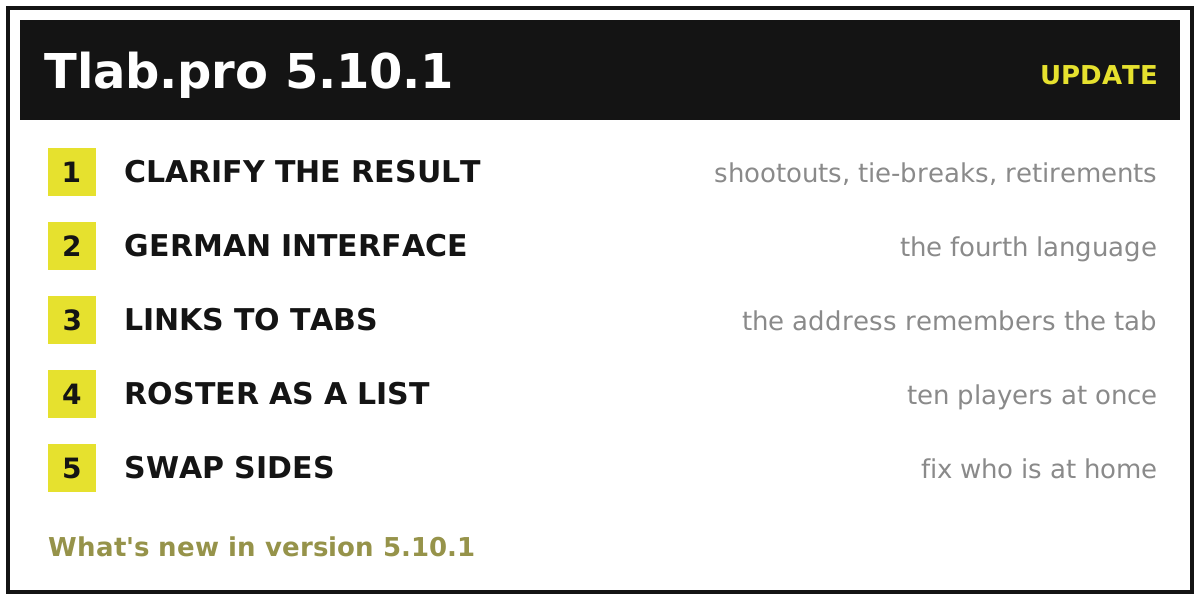
Most of update 5.10.1 is about one thing: a match does not always end the way two numbers can say it. Somebody fails to turn up, somebody retires at 6:2, a cup tie is level after ninety minutes and goes to a shootout. Until now all of that had to be squeezed into the scoreboard or left off it. This release gives those endings a place of their own — and, on the way, the service picked up a fourth language and a few smaller conveniences.
How the match ended
The match editor now has a Clarify the result checkbox. It stays folded away for the ordinary case, which is most cases; tick it and a row of chips appears:
- extra time — the match was decided past regulation;
- penalties — a shootout, with a score of its own;
- tie-break — a tie-break, either for the whole match or inside one set;
- walkover — one side never turned up;
- retirement — one side stopped mid-match.
There is deliberately no chip for a normal result: a normal result is what you get when no chip is selected. There is no "in progress" chip either — a match nobody has finished simply has no winner yet.
Two of these chips open a field for the score that actually decided the match. Penalties belong to the match as a whole, so a shootout gets its own pair of numbers next to the main score. A tie-break belongs to one set, so it is entered on the set it settled — 7:6 with 7:5 in the tie-break stays attached to that set and cannot drift onto another one. In an elimination bracket, where a level score cannot stand, the deciding column opens by itself as soon as both sides show the same number.
Walkovers and retirements also get a short label of up to three characters, which is what appears in place of a score. Leave it empty and the site draws its own — `Bye` and `Rt` in English, `Тех` and `Отк` in Russian, `Wlk` and `Krc` in Polish. The default is not stored, only rendered, so an old tournament reads in whatever language its visitor is using.
The form also checks itself. Extra time with no winner is not saved: the chip says the match is over, so the score has to name somebody. Penalties without a shootout score, one side of an additional score filled and the other left blank, a draw in an elimination bracket — each of those comes back with an explanation instead of quietly going in.
Where it shows and how it counts
Entering a result is half the job; the other half is that everyone reading the tournament sees the same thing. The same shootout now renders in every view, in the shape that view has room for.
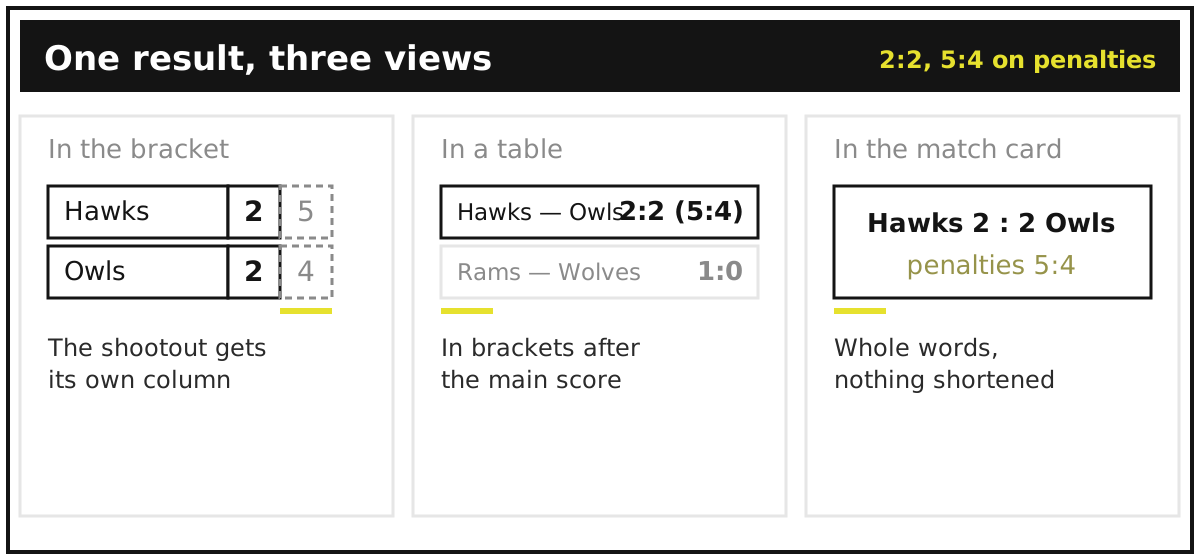
- In a bracket the shootout gets its own column of cells after the sets, marked off with a dashed border. A per-set tie-break rides as a superscript on the set it belongs to, on both sides: `7⁷` and `6⁵`. A walkover or retirement label takes the place of the losing side's number in the last set actually played — the winner's number stays where it was.
- In tables — the Swiss standings, the matches list, the round-robin cross-table — it goes in brackets after the score: `1:0 (5:4)`. The cross-table has less room than the rest, so it spells things out only for short competitions on a desktop screen; otherwise the cell is marked with `*` and a footnote sits under the table.
- In the match card nothing is abbreviated: whole words, and the organiser's own label if there is one.
Wherever the compact form is used, hovering shows the full reading, so a tooltip and a click never disagree.
The outcome also reaches the standings. A match settled past regulation — extra time, penalties, a tie-break — is paid with the Win in extra time and Losing in extra time values of your `Auto (calculation of points)` item, which is how a football group stage awards two points for a shootout win instead of three. A walkover or a retirement is paid as an ordinary win and loss: it did not go past regulation, somebody simply stopped. The Form column follows the same rule. Setting those values up is covered in the help topic on automated statistics, and the whole business of what to do when a knockout tie is level is discussed in the guide on running a football tournament.
A German interface
Tlab.pro now speaks German — the fourth language after English, Russian and Polish. The interface, the help section, validation messages and the emails the service sends are all translated, and the language picker in the header has a fourth entry.
Three landing pages went further and got German addresses of their own: `/turnierbaum-generator`, `/jeder-gegen-jeden-generator` and `/schweizer-system-generator`. A page that answers a German query cannot live at an English URL, so those three are single-language pages with their own titles rather than translations served from the same address. The blog stays in English, Russian and Polish for now.
A link straight to the tab you mean
Tournament, profile and help pages used to open on their first tab whatever you did. Now the open tab is written into the address — `#matches`, `#stats`, `#members`, `#relations` and the rest — and a page opened at one of those addresses lands on that tab.
Two practical consequences. A link you send now points at what you meant: the standings, the matches list, a help topic, rather than "the page, now scroll". And a reload no longer throws you back to the bracket — refreshing the statistics tab leaves you on the statistics tab. Tabs a visitor is not allowed to see are handled quietly: the page falls back to the default tab and drops the anchor rather than showing an empty one.
A whole roster in one go
Adding players to a team was one name, one click, repeat. The field is now a text box that takes a list: paste up to ten names, one per line, and they all go in at once. Typing a single name still works exactly as before — it is a list of one.
Who is at home
In a round-robin or Swiss tournament the first participant of a pair is the home side. The schedule alternates that between circles on its own, but the pairing is sometimes decided by a hall booking rather than by an algorithm, and until now it could not be corrected after the fact.
The match dialog opened from the Matches tab now offers Swap sides — the two participants change places, and any numbers already typed in move with them, so what you entered keeps meaning what it meant. Two limits are worth knowing. The button appears only while the match carries no result at all — no score, no outcome, no winner — so swapping sides on a played match means clearing the result first. And it is offered only in the Matches tab, where the pair is shown in its stored order: the cross-table and the brackets mirror pairs by design, so the order cannot be read there. In an elimination bracket there is no swap at all, because the order belongs to the bracket — it says which feeding match each side arrived from. More on how tours and pairings are built is in the guide on the round-robin schedule and in the help topic on rounds.
Try it out
That is 5.10.1: a shootout, a retirement or a no-show can finally be recorded as what it was, the result reads the same in the bracket, the table and the match card, tab links point where you meant, rosters go in as a list, and the sides of an unplayed match can be swapped. The details of entering results live in the help topic on entering a match result. The previous release was update 5.9.4, with private tournaments, the archive and TLab Edu.
Ready to run one? Create a tournament or start from the single elimination bracket generator — and if something is missing or unclear, tell us: the contact links are in the help section.